What are the risks of using a personal Gmail account for Android Enterprise management and how does migrating to a managed Google domain help?
Using a personal Gmail account for Android Enterprise management poses critical security and compliance risks; migrating to a managed Google domain secures and centralizes device control.
Using a personal Gmail account for Android Enterprise management exposes organizations to serious security vulnerabilities and compliance risks. Migrating to a managed Google domain secures device management under corporate control and enhances administrative capabilities.
What is the hidden risk of using @gmail.com for your MDM?
If your organization is still running its EMM binding on a personal Gmail account, you are exposed. This isn’t just “bad practice”; it’s a structural flaw with real consequences.
- A compliance nightmare: how do you explain to a GDPR, HIPAA, or ISO auditor that your entire corporate mobile security framework—with access to wipe devices and push data—is “owned” by an untraceable, personal account?
- A single point of failure: what happens when the one admin who controls that Gmail account leaves the company? Or just forgets the password? You’re facing a complex recovery process at best, and a complete loss of control over your fleet at worst.
- Zero corporate security: this is the most critical part. You cannot enforce your corporate security policies on a personal account. No mandatory SSO, no corporate MFA, no security key requirements. It’s a consumer-grade key protecting an enterprise-grade kingdom.
Gmail
What does migrating to a managed Google domain actually do?
The move to a Managed Google Domain is the official, enterprise-grade solution. It severs the tie to that personal account and moves your Android management to where it belongs: under your corporate identity. This migration isn’t just about changing your login. It unlocks a new level of administrative control.
- True enterprise security: you can finally enforce your company’s identity policies, including multi-factor authentication (MFA), security keys, and single sign-on (SSO), dramatically strengthening your security posture.
- Centralized corporate ownership: the “owner” of your fleet is now the company, not an individual. If an admin leaves, you simply follow your standard IT offboarding process. Account recovery is simplified and handled internally.
- Multi-EMM binding: this is a major technical win. A Managed Domain allows you to bind multiple EMM (or UEM) providers to your single organization. This is a game-changer for testing, allowing you to run a pre-production or sandbox environment to trial new policies (or a new vendor) without destroying your production setup.
- A unified Google Admin Console: your new domain gives you access to the Google Admin console, where you can manage other Google services like Workspace, Chrome, or even deploy AI tools like Gemini, all from one place.
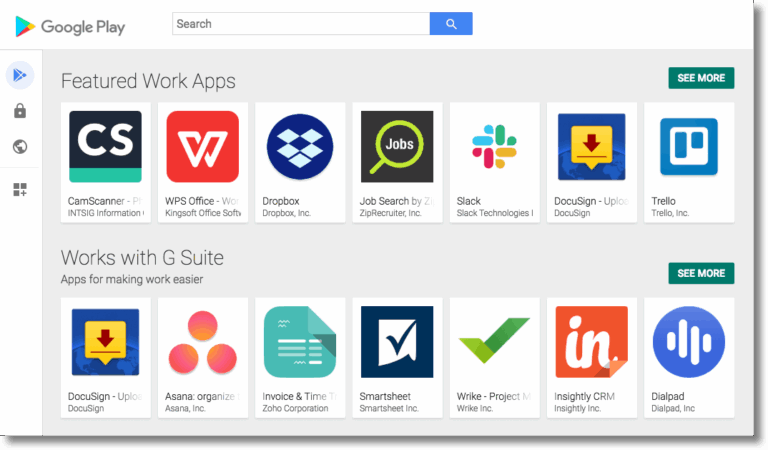
Manage Google Play
How does securing Android with a managed domain help unify device management?
Okay, let’s say you’ve made the switch. Your Android foundation is finally secure, built on a rock-solid, corporate-owned identity. That’s a critical first step. But a secure foundation doesn’t fix a fragmented house. The same problems that plagued your IT team yesterday are still there today.
- Device sprawl: your new, secure Android setup is great. But what about your iPhones, MacBooks, and Windows PCs? Your IT team is still living in five different dashboards, trying to enforce “unified” policies on fragmented, siloed systems.
- The Dev vs. IT: securing the device doesn’t solve the other core business challenge: getting apps deployed. Your developers are still fighting to push builds, and your IT team is still a bottleneck, creating friction that slows down innovation.
This is where Applivery’s value becomes clear. We are designed from the ground up to solve both problems.
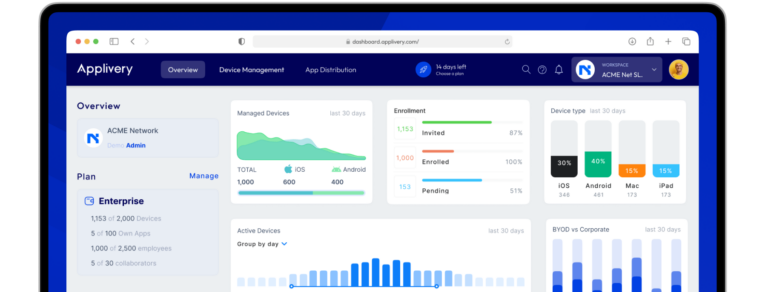
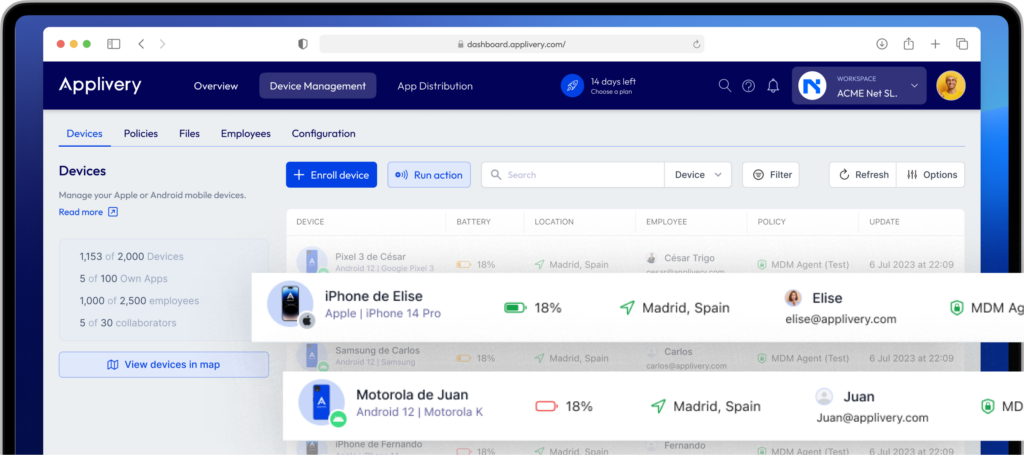
Interfaz de Applivery, pantalla principal
How does Applivery support IT teams with true Unified Endpoint Management?
We provide the true single pane of glass. You plug that new, secure Managed Google Domain right into the Applivery console https://www.applivery.com/mobile-device-management/. Right next to your Android devices, you manage your entire iOS, iPadOS, macOS, and Windows fleet. This is the genuine unification that finally solves the fragmentation and complexity inherent in managing diverse device fleets with multiple, siloed solutions.
How does Applivery assist development teams with app deployment?
We are not just an MDM with app deployment “bolted on.” We are a developer-centric app distribution platform at our core. We integrate directly with your CI/CD pipeline (Azure DevOps, GitLab, Jenkins) to fully automate the distribution of internal builds. Developers push code, and testers get the new version. Instantly. No friction.
What is the two-step plan for total device management?
Don’t let legacy workarounds define your security posture. It’s time to modernize your entire stack.
- Stop gambling on a Gmail account: take advantage of Google’s free update and migrate to a Managed Google Domain. It’s the essential, non-negotiable first step to securing your Android fleet.
- Stop juggling separate, fragmented tools: Unify your entire strategy with Applivery —from Android to iOS, from device security to automated app deployment—with a single platform built for both IT and DevOps.
How does Applivery approach Android security to achieve total unification?
Migrating your Android fleet to a Managed Google Domain is a critical security win. However, the wider challenge of fragmentation still remains. You still need a unified control system to track inventory and enforce consistent security policies across all your devices, including iOS and Windows. True, modern management means having total, efficient control over every device, regardless of the OS, from a single console. Stop patching old systems and start unifying your entire strategy.
See how leading IT and DevOps teams have successfully unified their Android, iOS, and Windows fleets by checking out our customer success stories https://www.applivery.com/customer-stories/. When you’re ready, book a personalized demo https://www.applivery.com/demo/ to see how Applivery’s true, unified console can solve fragmentation for good.
What is the difference between managed Google Play accounts and a managed Google domain?
Managed Google Play Accounts (sometimes called AMfB accounts) were the older, device-centric method. This is likely what you have if you used a Gmail account to sign up. A Managed Google Domain is the modern, identity-centric approach where your entire organization (users, services like Google Workspace, and Android Enterprise) is verified and managed under your corporate domain. Migrating to a Managed Google Domain is Google’s recommended upgrade path for all businesses.
What are the main security benefits of migrating to a managed Google domain?
The primary benefit is moving from a high-risk, personal-grade account to a secure, corporate-owned one. This immediately allows you to enforce Single Sign-On (SSO), Multi-Factor Authentication (MFA), and granular Role-Based Access Control (RBAC) on your EMM administration. This is critical for maintaining compliance with regulations like GDPR, HIPAA, and ISO.
If I already use Applivery for Android MDM, do I need to migrate?
Applivery fully supports bindings via a Managed Google Domain, and we recommend it as a security best practice for all our customers. If you are currently using a Gmail account with Applivery, you can follow Google’s migration steps to upgrade. Your Applivery console will remain your single pane of glass for management.
What happens to my currently enrolled Android devices if I migrate?
This is a common concern. The migration process provided by Google is designed to be a backend change that updates the administrative ownership of your EMM binding. In most cases, your currently enrolled devices should not be affected and will not require re-enrollment. However, we always recommend reviewing Google’s official documentation and performing the migration during a low-risk maintenance window.
Can Applivery’s console manage iOS and Windows devices alongside this new managed Google domain?
Yes. This is the core value of Applivery. Our platform is a true Unified Endpoint Management (UEM) solution. You will manage your newly secured Android fleet right alongside all your iOS, iPadOS, macOS, and Windows devices, all from the same dashboard, with the same automated workflows.
Applivery TL;DR
- Using a personal Gmail account for Android device management creates critical security and compliance risks.
- Migrating to a managed Google domain centralizes and secures management under corporate control.
- Applivery unifies Android, iOS, macOS, and Windows fleets in a single console, with developer-focused app distribution.